







Go to adl.org/donor-portal to manage your ADL donation(s). ADL’s donation processing partner is GoFundMe Pro (previously Classy). So if you see their logo, don't worry. You’re in the right place!
You can also view any of the options below to manage your donation.
That’s ok! You can reset it whenever you’d like.
Tip: Before resetting your password, verify that the correct email address and password are being entered. Also, make sure passwords are not outdated if they are saved on your device.
- Go to adl.org/donor-portal.
- Select Forgot password?
- Enter your email.
- Select Send. (If an account is linked to the email, you'll receive an email with a link to Reset Password.)
Tip: Check your spam folder if you don’t get the email in your inbox. We also recommend searching for the subject line, Reset Your Password. If you still can’t find the email, contact ADL.
You can always resend yourself a receipt. This is helpful if you need to itemize your deductions at the end of the tax year.
To resend a receipt, you'll first need to access your account. You can login using the same email address you entered when donating.
- Go to adl.org/donor-portal and log into the Supporter Account that was automatically created for you when you donated.
- Select ADL from the list of organizations you support.
Select Contribution History in the menu. You can resend the receipt to the email address in your settings by selecting View Details on the contribution and then selecting Resend email receipt.
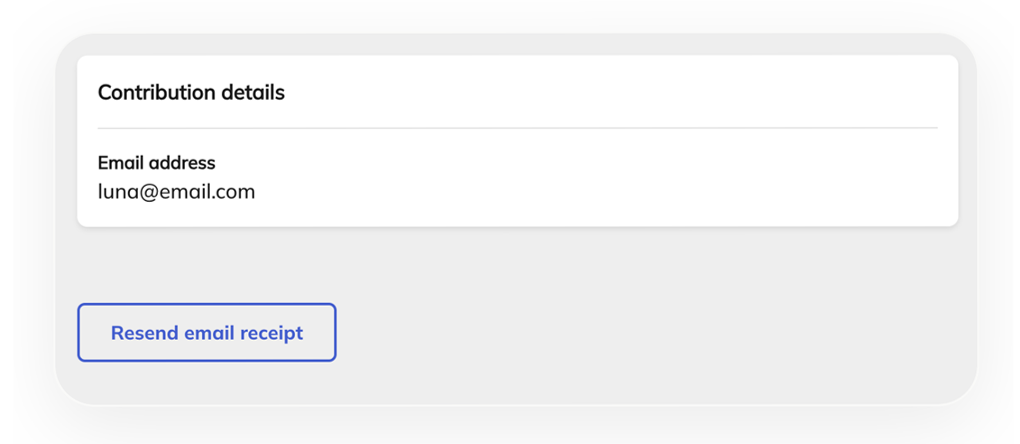
To send your receipt to a different email, select Settings in the menu. This will open your profile settings, where you can update your email. Once updated, follow the above process.
- Go to adl.org/donor-portal and log into the Supporter Account using the email address you entered when you donated.
- Select ADL from the list of organizations you support.
- Select Recurring donations.
- Select Manage donation under the donation you wish to edit.
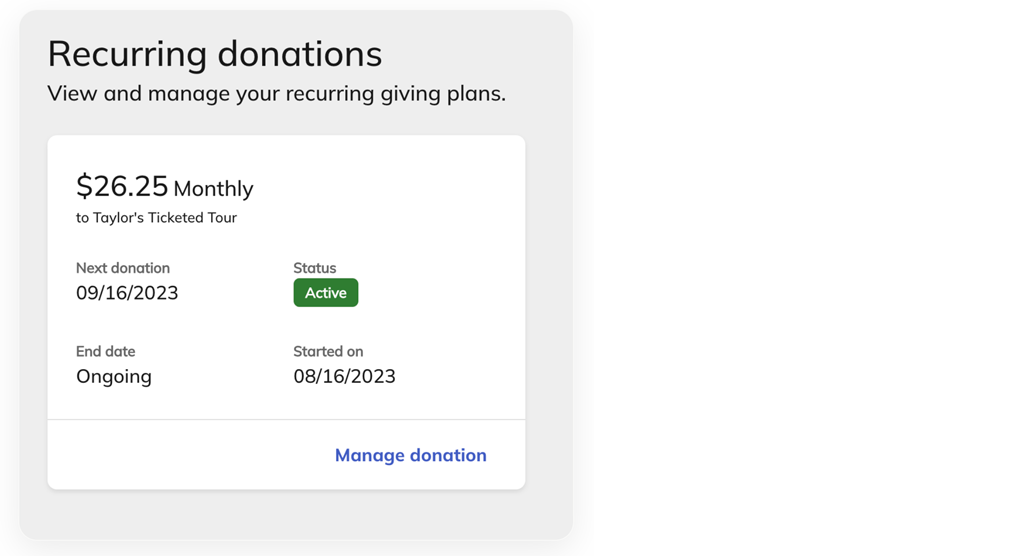
Under Donation details, you can adjust:
- Donation amount
- Whether to cover transaction fees
- Frequency
- Next donation date
- End date
- Go to adl.org/donor-portal and log into the Supporter Account using the email address you entered when you donated.
- Select ADL from the list of organizations you support.
- Select Recurring donations.
- Select Manage donation under the donation you wish to edit.
- Under Payment details of your donation, select Change payment to update the credit card on file or switch to bank transfer.
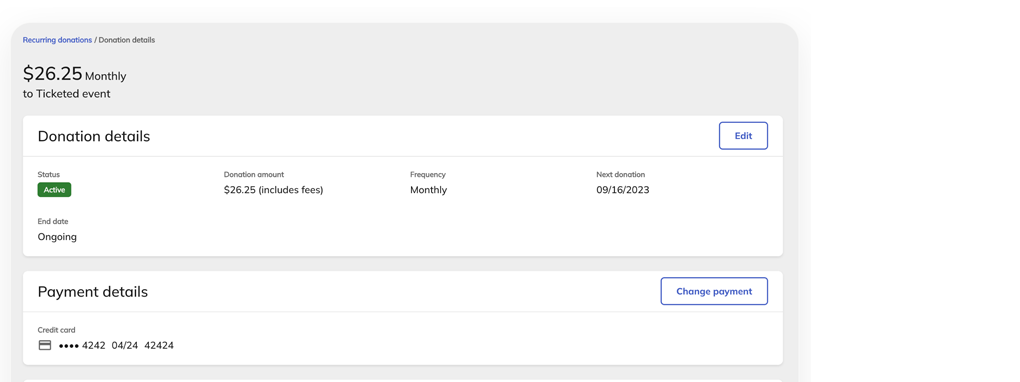
If you wish, you can cancel your recurring donation. You’ll also have the option to pause your monthly donation for up to three months instead.
- Go to adl.org/donor-portal and log into the Supporter Account using the email address you entered when you donated.
- Select ADL from the list of organizations you support.
- Select Recurring donations.
- Select Manage donation under the donation you wish to edit.
- Under Payment details of your donation, select Cancel donation.
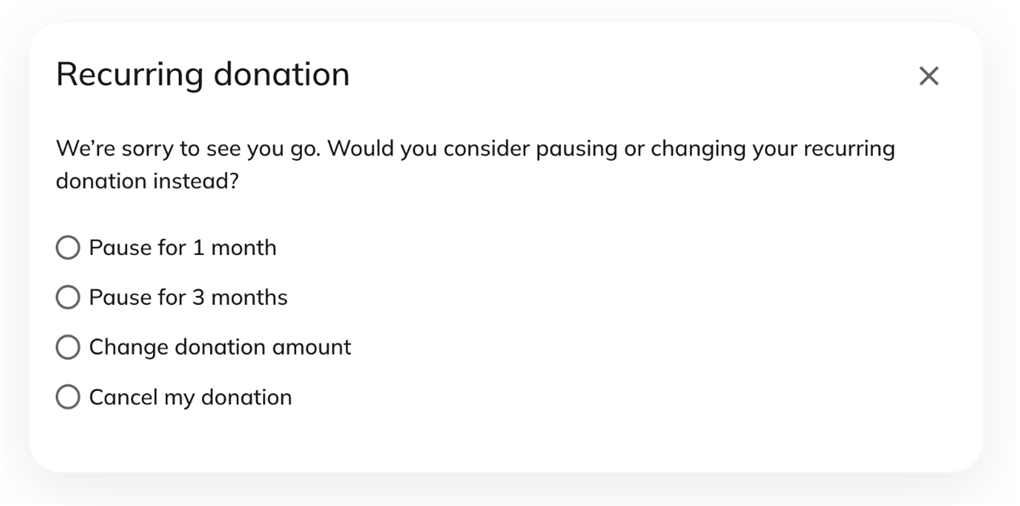
Note: You can only pause monthly donations and not any other recurring frequency.
When you cancel a recurring donation, you can always reactivate it again later.
To reactivate a recurring donation:
- Go to adl.org/donor-portal and log into the Supporter Account using the email address you entered when you donated.
- Select ADL from the list of organizations you support.
- Select Recurring donations.
- Go to your canceled recurring donation and select Reactivate donation.
When you reactivate a donation, you can update all its information, including:
- Amount
- Frequency
- Next donation date
- End date
- Payment method
Still have questions?
Please send us an email at [email protected] or call us at 212-885-7787.